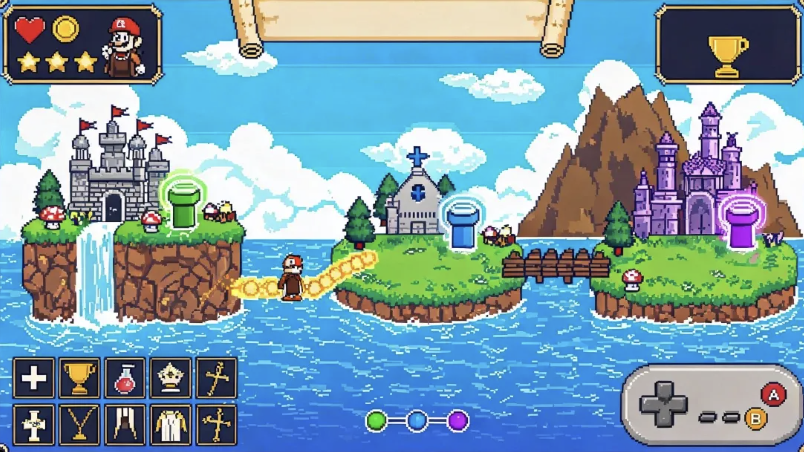
Your idea is the starting point. Combos' AI game design tools turn it into a prototype you can play. You can change levels and assets along the way. The supported workflow needs no code.

AI Game Design

From idea to playable prototype—design levels and assets effortlessly.

Try:
Create Games with AI
Generate Assets
From Prompt to Playable

What is game design?

The rules tell players what they can do. The challenges and actions shape how the game feels.

A game needs rules, levels, characters, and a clear way to progress. These parts must fit together. Artificial intelligence in game design helps with the plan and art assets. You describe your idea to Combos first. Plan Mode gives you a plan to check before the build starts. Once the prototype is ready, you test the controls and the first challenge. AI game design gives you ways to try changes. You still decide what stays in the game.
Why Choose Combos for AI Game Design?

Your idea comes first. Combos helps with the plan and assets. Live preview gives you a game to test.

Turn your concept into a playable prototype

Combos needs the theme, art style, and main rules of your game. These details help it build a playable prototype from your idea. The supported workflow needs no code. You can spend that early stage trying the game rather than working on setup.

Start for Free

Focus on design, not technical setup

A rule is easier to judge when you can play it. With game design AI, you can test the rule and make assets that fit. The player's actions are still your choice. If the result is not right, a small edit may be enough. You do not have to start over at once.

Start for Free

Test ideas and refine gameplay

Your game description should explain the type of game you want. Combos' AI game design generator uses it to plan rules, levels, actions, and assets. You can check the plan before building. A part that does not fit your idea can be changed first.

Start for Free

AI Tools for Game Design, from Idea to Test

The plan, levels, and assets are parts of the same game. You can work on them together. A test shows which parts still need work.

Turn an Idea into a Game Design Plan

Your description gives the build its starting point. Combos' AI game design generator helps plan the rules, levels, actions, and assets. The plan is yours to review before building. If a part does not match the idea, you can ask for an edit first.

Shape Levels Through Chat

A level edit starts with the change you want. You describe the terrain, layout, objects, or triggers to Combos. Pick-to-edit (Beta) lets you click an element in the preview and ask for an edit. The next run lets you check the new layout.

Change Gameplay with Natural Language

A faster character or a higher jump may suit your game better. AI in game design lets you request these changes within supported templates. You test the change first. Other settings can wait until you have seen the result. H3:Generate Characters and Matching Assets

Generate Characters and Matching Assets

AI game character design covers one part of your game. Backgrounds, animations, sprites, and tilesets may also be needed. Your prompt sets the style. Generated assets stay in the asset library, where you can replace them if the idea changes.

Preview and Playtest Your Prototype

Live preview is where you try the gameplay. You can check the opening and the pace, then note where you get stuck. An edit gives you a new version to test. A shared prototype link lets someone else try it and give feedback too.

How to Design a Game with Combos

Your game design process can begin with a small idea. Combos' AI game design tools help you make and share a prototype. Feedback gives you a reason for the next change.

Start Designing Now
  1. Define Your Idea and Confirm the Design

    The Create page has Narrative Games, 2D Platformer, and 3D Platformer templates. You can choose one or put your own idea in the prompt box. The description should cover the theme, style, and main rules. Plan Mode lets you review a plan before the build.

  2. Design Levels & Generate Assets Visually

    You tell Combos which terrain, layout, or action needs a change. Pick-to-edit (Beta) lets you point to an element in the preview and request the edit. A prompt can also generate a character or background. Combos saves the result to your asset library.

  3. Test, Change, and Share

    You try the game in "Live Preview". If something does not work, you can ask for a change. When you want another person to test it, "Publish" creates a browser link to share. Their feedback can help you choose the next edit.

Combos and Traditional Game Design Software

The project decides which tool fits. Your testing goal, skills, and need for control all matter.

Start Designing Now
ComparisonCombos AI Game Design PlatformTraditional Tools
Technical BarrierZero-code, AI-guided, beginner-friendlyRequires engine/coding/design theory
Design to PlayableDesign becomes a playable prototype instantlyOnly design docs need dev to implement
Iteration EfficiencyReal-time preview, micro-adjustments, zero-cost iterationModifications require rework/communication
Professional StandardsBuilt-in professional design frameworks, industry-alignedManual framework setup, easy errors
Asset MatchingAI generates assets linked to design, ensures visual consistencySeparate design/asset creation
Cost & TimeFree start, rapid prototyping, minimal investmentHigh learning cost, slow

AI Game Design for Creative and Professional Workflows

FAQs: AI Game Design

Start Your Professional AI Game Design Journey!

From Concept to Playable Prototype with AI Game Design.

Start Designing Now