GPT-6 Sol Prompts

Find a game idea. Make it yours. Start creating with Combos.

Your next game starts here

All Prompts

Games

Medieval World in One File

Build a medieval Three.js game with wind physics in a single HTML file.

Original prompt
Source on X: @HammadAli_0914
Read original prompt · 121 characters
“Build me a medieval-themed game in Three.js, keep the entire game engine inside ONE HTML file, and enable wind physics.”
Games

Runway to Sky

A complete browser flight simulator: take off, fly, land, score and restart.

Original prompt
Source on X: @adxtyahq
Read original prompt · 2,693 characters
prompt - Build a polished, playable browser-based 3D flight simulator game from scratch.

The goal is to create a small but genuinely playable flight-sim experience, not a static 3D scene.

GAMEPLAY
- Create an airport with a detailed runway, taxiway, terminal/buildings, grass/terrain, runway markings/lights, sky and clouds.
- Place a recognizable passenger airplane at the airport.
- The player must be able to control the aircraft with the keyboard.
- Implement throttle, pitch, roll, yaw and braking.
- The aircraft must have basic believable flight physics, momentum and acceleration.
- The player should be able to accelerate down the runway, take off, fly around the airport, approach the runway and land.
- Add a simple objective: take off, complete a short flight around the airport and land safely.
- Include crash/failure detection and a restart option.

CONTROLS
Display controls clearly:
- W/S: Pitch
- A/D: Roll
- Q/E: Yaw
- Shift/Ctrl: Throttle
- Space: Brake

CAMERA
- Use a smooth third-person chase camera behind the aircraft.
- Keep the aircraft clearly visible during flight.
- Camera should smoothly follow movement and respond subtly to acceleration.

HUD
Create a polished aviation-style HUD showing:
- Airspeed
- Altitude
- Heading
- Throttle
- Vertical speed
- Flight status
- Current objective

Include a compact controls/help panel that can be hidden.

START + RESULTS
Create a start screen with:
"FLIGHT SIMULATOR"
and a prominent "START FLIGHT" button.

After a successful landing, show:
- Flight completed
- Landing quality
- Flight time
- Final score
- Play Again

VISUAL QUALITY
Make it feel like a real game:
- Cohesive stylized 3D visuals
- Detailed aircraft
- Attractive airport environment
- Good lighting, shadows and materials
- Clouds/atmosphere
- Airport buildings, vehicles, signs, trees and other environmental details where appropriate
- Avoid an empty or obviously unfinished scene

FEEDBACK
Add useful feedback for:
- Throttle/engine state
- Takeoff
- Landing
- Speed warnings
- Altitude
- Crashes
- Successful landing

TECHNICAL
- Build the complete working game in the browser.
- Do not leave placeholder buttons or fake interactions.
- Prioritize responsive controls and smooth performance.
- Use whatever appropriate web/3D technologies are available.

IMPORTANT:
Do not spend the entire task making a beautiful static scene. The aircraft MUST actually be controllable and the complete loop must work:

START → ACCELERATE → TAKE OFF → FLY → APPROACH → LAND → SCORE → PLAY AGAIN

Before finishing, run the game in the browser and test the entire gameplay loop yourself. Fix broken controls, physics, visual bugs and interaction issues you find.
Games

Cloudline Tram Adventure

Drive a retro tram between cloud islands, keep passengers comfortable and upgrade your ride.

Original prompt
Source on X: @YouWareAI
Read original prompt · 3,311 characters
Create a single-file HTML/JS 3D game (Three.js) that can be played directly in the browser, with a warm, low-poly but polished indie game style, evoking the feel of a Ghibli seaside town combined with the smoothness of Zelda's mine cart tracks.     
【Core Gameplay】  The player drives a retro aerial tram, traveling between islands floating above a sea of clouds and the ocean surface.  - The track is a continuous 3D railway, featuring straight sections, uphill slopes, downhill slopes, elevated curves, and long bridges across the sea  - Controls: W to accelerate (Power), S to brake (Brake), left and right for fine-tuning or switching the view  - Real-time display: speed in km/h, number of passengers on board (e.g., 12/16 aboard), road conditions (Steady / Crosswind)  - Passenger comfort system: sudden acceleration, hard braking, taking corners too fast, and crosswinds all reduce "leg comfort"; arriving at the destination smoothly earns bonus points (e.g., +75 at arrival)  - Streak: driving too bumpily will trigger the message "Streak broken. Find your balance to rebuild your tips."  - Arrive at the station, open the doors for passengers to get on and off. On the platform, there are townsfolk queuing up, with subtitles such as "Doors opening - Mango Tide," "Please wait…"     [World and Stations]  At least two routes/two islands:  1. Saltlight Terminus  2. Mango Tide  The island is a rocky island floating above the clouds, with small Mediterranean/Southern European-style houses with red-tiled roofs, a lighthouse, a dock, green trees, streetlights, and warm yellow windows at night. In the distance, there are more floating islands and circling orbits. The sky is a blue-purple gradient from dusk to night, with stars and thick clouds, and below is azure seawater.     [Tram Exterior]  Retro tram: dark green body, wood-colored chassis, curved glass windows, roof luggage, green awning/vine decorations, and various passengers sitting inside. While moving, there is a slight swaying motion and a sense of track sounds (which can be conveyed with simple sound effects or visual cues).     [Scene 2: Workshop Modification]  Switch to the top-down isometric view of the workshop "Cloudworks / Oliver Cloudworks / Oliver's home island."  Players can swap parts for the tram, with an interface like an upgrade pop-up:  - Hearth leaves — Lifting the old part  - Little Companion — Preparing the tram  Progress bar + "Sit back and watch the workshop."  Changes to the tram's appearance after modification (e.g., green roof, added luggage rack, lanterns, vines), then it drives out of the workshop, subtitles "All aboard." / "Next stop: the Coastal Line."     [UI]  Clean modern casual game UI: destination and currency/streak in the top-left, speed bar and Power/Brake buttons at the bottom, comfort progress bar connecting the two station names. No clutter, don't make it horror or cyberpunk.     [Technical Requirements]  - Single file or minimal files, Three.js  - Use curves for the track (CatmullRom, etc.) so the tram follows the rails, camera follows with a slight rail feel  - Simple physics feel: acceleration inertia, braking deceleration, body roll when cornering  - On mobile, try to also support tap to accelerate/brake  - Readable code, with comments, playable as soon as it's opened.
Games

Third-Person Anime Game Shot

Generate a 15-second third-person anime-style gameplay shot with cel shading and a fixed game camera.

Original prompt
Source on X: @CoinSh0t
Read original prompt · 287 characters
Create a 15-second third-person anime game shot.

A character runs through a stylized city, jumps an obstacle and lands while the camera follows from behind.

Use cel shading, strong silhouettes, exaggerated movement and a fixed game camera.

It must look like gameplay, not a cinematic.
3D & Scenes

Rolling Motion Study

A short directional motion cue for a rolling animation.

Partial fragment
Source on X: @Zyvex_0x
Read original prompt · 41 characters
person rolling on the ground to the right
3D & Scenes

Verdant Dinosaur Island

Explore a lush island, hatch dinosaurs and dive beneath a cutaway lagoon.

Original prompt
Source on X: @sahilvermaai
Read original prompt · 400 characters
Create Verdant - an interactive 3D diorama built with Three.js + WebGL

A lush island with roaming dinosaurs, a waterfall, and a cutaway lagoon with a swimming marine reptile. Feed the herd, hatch a baby dinosaur, and take the camera underwater

Adjust the tide, wind, and time of day, or bring in tropical rain while relaxing music plays

Everything runs right in your browser, in a single HTML file
3D & Scenes

WALL-E Model Study

A short Three.js modeling prompt referencing the named film character.

Original prompt
Source on X: @marcthecreatorr
Read original prompt · 42 characters
- create a 3d model of wall-e in three.js.
3D & Scenes

Inside an Aircraft Engine

Explore a detailed engine through disassembly, exploded views and component explanations.

Original prompt
Source on X: @YouWareAI
Read original prompt · 669 characters
Use three.js to build a 3D interactive display of an aircraft engine on a webpage. 
Please refer to Jigspace's interaction design philosophy to achieve a realistic model with near 1:1 high-fidelity restoration, fully preserving material and texture details such as metal, pipelines, and blades. Interactive features must include: step-by-step disassembly animation, exploded view of components, and part descriptions and principle explanations triggered by click or hover. 
Overall, it must support smooth camera control and friendly human-computer interaction, ensuring a smooth experience on the web that fully showcases the engine's structure and working principles.
3D & Scenes

A Detailed Three.js Earth

Create a highly detailed three-dimensional Earth using Three.js.

Original prompt
Source on X: @TimJayas
Read original prompt · 48 characters
create a highly detailed 3d earth using three.js
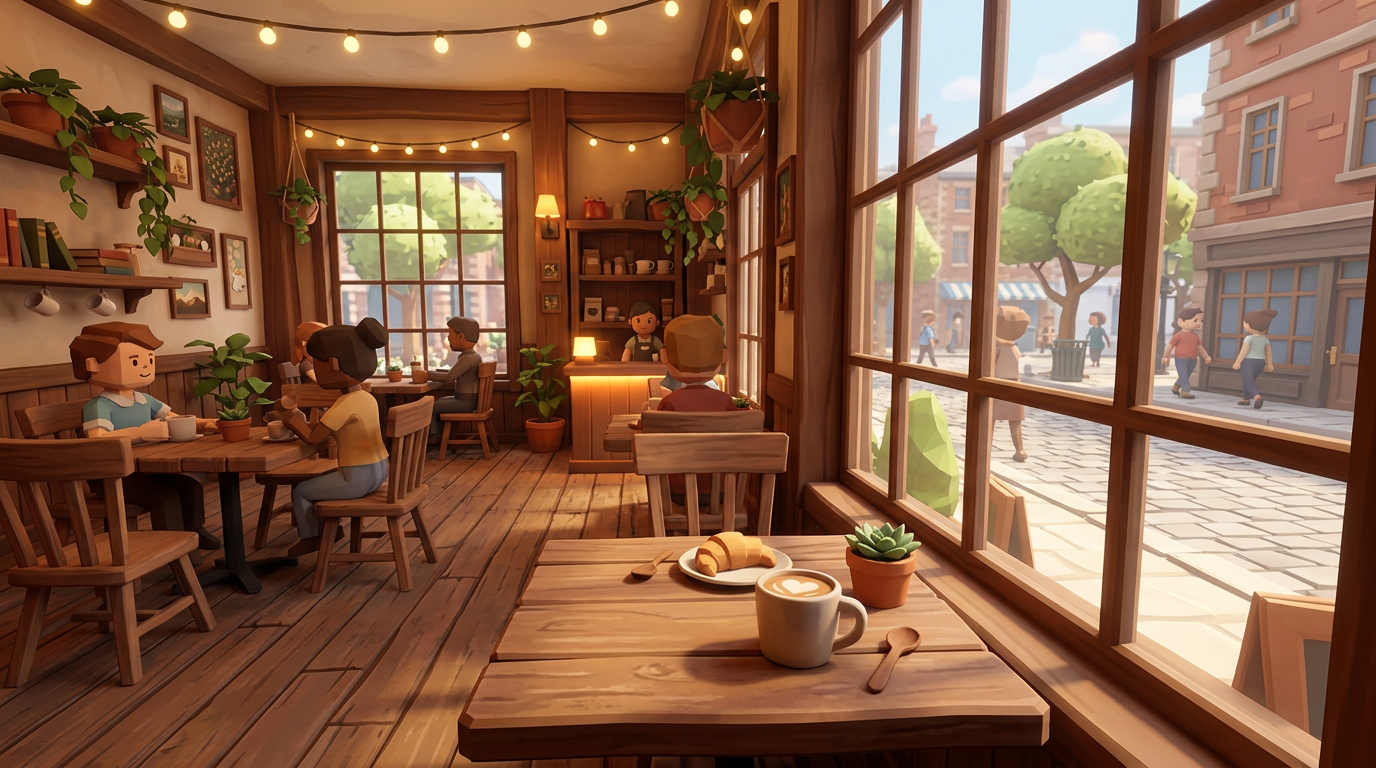
AI-generated preview for Walk Through Your 3D Café3D & ScenesAI-generated preview

Walk Through Your 3D Café

Build an editable café with mouse-look navigation, lighting and collision checks.

Original prompt
Source on X: @Fred834567
Read original prompt · 74 characters
用 Three.js 做一个可漫游的 3D 咖啡店,鼠标控制视角,桌椅和灯具必须独立可编辑,完成后实际运行检查碰撞、灯光和加载错误,有问题继续修复。
AI-generated preview for Hyper3D Model Generation Cue3D & ScenesAI-generated preview

Hyper3D Model Generation Cue

A short tool-use fragment for generating a model through Hyper3D MCP and Rodin.

Partial fragment
Source on X: @joshesye
Read original prompt · 38 characters
“通过 Hyper3D MCP 调用 Hyper3D Rodin 生成模型”
3D & Scenes

Floor Plan to Interactive Room

A four-step Chinese workflow from a measured room plan to a tested Three.js scene.

Original prompt
Source on X: @wangdefou
Read original prompt · 737 characters
1. 生成房间平面图
为一个虚构房间生成 SVG 平面图,并渲染成 PNG。
房间东西 4 米、南北 3 米,北向在图上方。
北侧窗户,东南角房门,西侧床,北侧书桌,东侧衣柜。
用简单矩形和中文标签表达布局,家具不要重叠。
标注“模拟布局”和米制尺寸,保留 SVG 和 PNG。
先检查图片中的文字和空间关系,暂不创建 3D 页面。

2. 读取图片,核对空间关系
先读取附带的 PNG,不写网页。
列出房间尺寸、北向、门窗和三件家具的位置。
把图片明确给出的信息与未给出的假设分开。
看不清的内容直接说不确定。

3. 根据图片生成 3D 交互网页
使用 frontend-design,根据房间图片和已核对的布局创建 Three.js 网页。
风格为温暖的微缩房间,米白和木色,中文控制面板简洁。
用简单几何体制作床、书桌、衣柜和门窗,不依赖外部 3D 模型。
只做拖动旋转、滚轮缩放、两套配色切换和重置视角。
保持已确认的布局,未给出的高度或材质列为假设。
创建完成后实际启动本地页面,检查交互,保留首版。
有问题就依据真实截图或报错修复。

4. 检查实际页面,有问题再修复
请对照当前真实页面与原始 PNG 检查布局、标签和交互。
有浏览器工具就取得当前截图并实际操作;否则根据我附的截图和操作记录检查,把无法判断的交互标为待人工验证。列出有依据的问题。确有问题才做最小修复,保留原有布局与已经通过的功能,不人为制造故障。
修复后再次打开检查,保存证据与实际改动清单。
若全部通过,直接报告通过,不做无必要改写。
我复核通过后,保存可复现的源文件快照到 versions/v1-accepted,排除 node_modules 和快照目录自身,并输出本地启动方法。
3D & Scenes

Room Photo to Moving 3D Scene

Use a supplied room photo and Blender MCP to build articulated objects and a demo video.

Original prompt
Source on X: @walterzhu8
Read original prompt · 226 characters
Given the room photo I provided, use Blender MCP to build an interactive 3D scene and render it into a demo video. Include articulated object motion (hinges, doors, drawers) and use sensible camera moves to show these effects.
3D & Scenes

Voxel Campfire Knight Scene

Build a standalone Three.js night-forest campfire scene with an interactive voxel knight and retro pixelation.

Original prompt
Source on X: @vib3coded
Read original prompt · 4390 characters
You are a Senior Creative WebGL & Three.js Developer. Your task is to build a complete, production-ready, interactive 3D scene contained entirely within a single standalone HTML file (index.html) using Three.js + webgl

### 1. Visual Theme & Art Direction

- Atmosphere: Deep night forest, cozy glowing campfire, solitary weary knight resting at the campsite (Dark Souls bonfire / classic retro RPG aesthetic).
- Aesthetic: 3D Pixel Art / Voxel / Low-Poly aesthetic.
- Shading & Post-Processing: Integrate Three.js post-processing (RenderPixelatedPass or an equivalent low-resolution pixelation/dithering effect) to achieve an authentic 16-bit/32-bit retro look.

### 2. Scene Geometry & Assets (100% Procedural — No External .gltf/.obj Files)

All assets must be constructed procedurally using Three.js geometric primitives (BoxGeometry, CylinderGeometry, etc.) and basic materials so the file runs locally without CORS issues.

1. Forest Environment:

   - Ground: Dark stylized terrain with procedural voxel stones, mushrooms, and low-poly foliage.
   - Trees: Procedural pine/spruce or blocky canopy trees surrounding the clearing to create depth and seclusion.
   - Sky & Lighting: Deep midnight sky with flickering voxel stars and a cool moonlight DirectionalLight casting soft shadows.
   - Depth: THREE.FogExp2 with a dark atmospheric color to blend the horizon.

2. Campfire:

   - Stone circle surrounding smoldering logs and procedural ember embers.
   - Fire System: Animated pixelated particles (Points or pulsing voxel meshes) rising upward.
   - Dynamic Lighting: Warm orange-red PointLight with continuous, natural flicker logic (using Math.sin, noise, or pseudo-random variations).

3. The Knight:

   - Hierarchical scene graph (groups for head, torso, upper/lower arms, legs, cape, and sword) built from voxelized primitives.
   - Visual details: Slotted helmet, chest armor, pauldrons, gauntlets, and a sheath/sword.
   - Pivot points must be aligned correctly at joints (shoulders, elbows, hips, knees) for clean procedural rotation animations.

### 3. Interactive Knight State Machine

Implement smooth procedural animations using linear interpolation (lerp) or trigonometric curves inside the render loop for the following selectable states:

- Sit by Fire (Default Idle): Sits cross-legged or crouched, subtle breathing cycles, warming hands near the flames.
- Add Firewood: Knight stands up, retrieves a log, and tosses it onto the fire. The fire visibly flares up, expands its light radius temporarily, and emits a burst of sparks.
- Sword Practice: Stands up, draws the sword, executes a clean 3-part attack/parry routine, and returns to a combat guard stance.
- Look into the Distance: Walks to the edge of the clearing, plants the sword into the ground, and stares out into the dark while the cape sways.
- Sleep: Lies down on a bedroll beside the fire; floating animated pixel "Z z z" particles rise from the helmet.
- Roast Meat: Holds a stick with food over the flame; emits subtle procedural smoke/steam particles.

### 4. Camera System

Provide preset camera switches with smooth transition interpolation (lerping position and target):

- Cozy Close-up: Medium shot focusing on the knight and the firelight.
- Isometric RPG: Classic high 45-degree tactical overview of the clearing.
- Cinematic Ground: Low-angle dramatic shot looking upward at the knight against the starry sky and pine canopies.
- Free Orbit: Seamless switch to standard OrbitControls for interactive inspection.

### 5. UI & Audio

- UI Style: Retro 8-bit/16-bit RPG HUD layout using semi-transparent dark frames with pixelated borders and an embedded Google Font (e.g., 'Press Start 2P').
- Bottom Panel: Interactive action buttons triggering each knight state.
- Top-Right Panel: Camera angle switcher buttons.
- Firewood Counter: Tracks logs added and current fire intensity.
- Sound (Web Audio API): Procedurally synthesized fire crackle and ambient night breeze/crickets, with a mute/unmute toggle button.

### 6. Technical Specifications

- Single, self-contained index.html file.
- Use ES Modules loaded via CDN (https://t.co/W8o3SZwkCj or unpkg).
- Modular, well-commented code structure (initScene, buildEnvironment, buildKnight, buildCampfire, setupUI, setupAudio, animate).
- Fully responsive window resize handler updating camera aspect ratio and pixelation pass resolution.
Interactive

Pack Your Trip in 3D

Plan what to bring on a trip with a three-dimensional packing assistant.

Original prompt
Read original prompt · 73 characters
Build a 3D travel packing assistant for planning what to bring on a trip.
Interactive

Foldscape Memories

Unfold photographs into five spatial memories with a hinged-device gallery.

Original prompt
Source on X: @tripoai
Read original prompt · 8,568 characters
Create a complete, interactive website called Foldscape Memories, centered on a realistic 3D iPhone Duo.
Photographs appear on its outer display. Opening the iPhone Duo reveals their corresponding three-dimensional scenes across its dual inner screens, creating a pop-up-book-like experience. The hardware must remain recognizably an iPhone Duo; “pop-up book” describes the experience, not the device’s appearance.
Deliver a working website with polished interactions, responsive layouts, and smooth transitions.

1. Technology and supplied assets
Use React, Three.js/WebGL, and GSAP. Use GSAP Observer for wheel and gesture handling, and GSAP timelines for coordinated transitions. Adapt React Bits Circular Gallery for the spatial photograph collection and React Bits Morph Slider for transitions inside the outer display.
The project owner will provide:
- A rigged iPhone Duo model with a controllable hinge, outer display, dual inner screens, and editable body materials.
- Five photographs and five corresponding GLB scenes.
- A music file with attribution and usage information.
Use clearly labeled placeholders until these resources are supplied. Centralize asset paths, titles, captions, model placement, and credits in an editable configuration. Do not invent asset sources or attribution.

2. Visual identity
Create a quiet, editorial atmosphere using warm off-white, near-black typography, muted gray supporting text, thin dividers, generous whitespace, and a restrained rust-red accent.
Use a refined serif for the brand and main headings, with italic emphasis on “stay with you.” Use an understated, readable companion typeface for supporting copy and a clean sans serif for controls.
Keep the interface visually light. Photography, the iPhone Duo, and its scenes should dominate.
Use these English texts:
- Brand: Foldscape Memories.
- Eyebrow: A PLACE TO RETURN TO
- Heading: Some places stay with you.
- Supporting copy: A photograph, unfolded into a place you can return to.
- Primary action: Open memory
Do not include Wallpaper Studio, product-demo sections, or support-the-author links.

3. Entrance experience
Initially show a large, closed iPhone Duo in landscape orientation, displaying the first photograph on its outer screen. No surrounding photographs are visible.
Center the heading above the device. Position compact playback controls below it and include a subtle Scroll to discover cue. Hide the photograph title and caption during this entrance state.
Allow scrolling as soon as possible. Text may appear gently while assets prepare, but an introductory animation must not impose an unnecessary input lock.

4. Transition into photo browsing
On downward scrolling, smoothly reduce the device to its browsing size and introduce the other photographs from the right.
Move the existing heading continuously into an upper-left editorial layout. Place the supporting copy toward the upper right. Avoid duplicated headings, abrupt replacements, and layout jumps.
Arrange the five photographs along a curved three-dimensional gallery with perspective, depth, and generous spacing. They should resemble physical photographs surrounding the device, rather than a flat carousel.
During browsing, wheel input and horizontal gallery dragging move the photographs. Wheel input must not accidentally zoom the iPhone Duo.
Reveal the current photograph’s title, caption, and position within the five-image collection.

5. Photograph transmission
Make each photograph feel as though it is being transmitted into the outer display.
As a card approaches the device, organically stretch and distort its nearest edge with a slightly psychedelic deformation. Keep the card smaller than the display; do not expand it into a screen-sized overlay.
Maintain an approximately 20px visual gap between the card and device. The card disappears into that gap while the outer display transitions to the corresponding image.
Reverse the relationship for outgoing photographs: the screen image appears to emerge as a physical card.
Use React Bits Morph Slider’s Melt-style distortion inside the outer screen. Starting parameters:
- Duration: 1.1 seconds
- Intensity: 0.95
- Aberration: 0.35
- Drift: 0.4
- Easing: linear
Coordinate external card deformation and internal image morphing as one continuous event. Handle rapid navigation without stuck transitions or mismatched selections.

6. Opening a memory
Clicking Open memory, or clicking the stationary iPhone Duo during photo browsing, opens the selected photograph’s scene. Distinguish a click from a drag.
From any current device pose, smoothly return to the closed starting pose before playing the opening sequence. Never snap to the starting position.
Retract surrounding photographs behind the device before unfolding; do not hide them abruptly.
The scene must appear through the space released by the moving left screen. Keep the complete scene at its final position, scale, and proportions relative to the unfolded device base.
Visibility must be driven by the actual hinge angle. As the left screen opens, the newly available space reveals more of the scene. Holding the hinge still must hold the reveal boundary still.
Do not use independent horizontal height sweeps, vertical growth scaling, or geometry that folds with the left screen.
Prevent objects from protruding through the lid. Where clipping exposes hollow geometry, provide appropriate temporary cut surfaces without floating fragments or visible discontinuities. Rewind must retrace the same spatial relationship.
Finish in a low, three-quarter landscape view. Let tall models extend beyond the device silhouette without being cropped by the canvas container. Keep the device and scene clear of the playback controls throughout the animation.

7. Five memories
Provide these configurable photograph-and-model pairings:
1. Round Island Light
2. A Red Sailboat in western Greenland
3. Kálfeyri — Skötufjörður, Ísafjarðardjúp.
4. Santorini in Blue and White
5. Osaka Castle
Each photograph must open its own scene. Preserve authored proportions and support individual positioning and scale adjustments.
Use natural lighting, convincing materials, soft contact shadows, and scene-appropriate terrain or water. Aim for photographic natural environments rather than a toy-like miniature aesthetic.
Use reflections where appropriate. Avoid distorted duplicate silhouettes on the tilted screen; introduce its reflection smoothly as the device approaches flat.

8. Interaction and controls
Start automatic rotation 0.5 seconds after opening. Pause it during dragging and resume 0.5 seconds after movement settles. Allow zooming in the opened scene.
Provide a scrubber for pausing and exploring the sequence. Once opened, show Rewind, which reverses the presentation.
Place a compact curved Option Wheel outside the device on the right, containing only:
- Scene
- Landscape
- Closed
Hide it on the entrance page. Keep the selected option sharp and prominent, with restrained fading and blur on neighboring options.
Include an original-photo viewer, an atmosphere/audio control, and a device-color button beside the audio control. The color button directly cycles between light and dark finishes without a dialog.
The atmosphere panel contains music playback and the supplied credits, with no Coast option. Begin muted and require user interaction before playback.
During photo browsing, place a horizontal drag hint approximately 35px below the device, centered in a 50×50px device-rotation handle. Align the actual hit area with the hint.
Entering device inspection smoothly enlarges the device and retracts the photographs. Downward scrolling returns to browsing and restores the gallery.

9. Performance and delivery
Avoid font flashes, duplicated layouts, abrupt state changes, and blocking loading sequences. Keep input responsive.
Load scenes on demand, prepare expensive rendering work before playback, reuse resources, and dispose of replaced assets. Avoid unnecessary continuous rendering. Respect reduced-motion preferences and support keyboard navigation.
Test all five scenes through opening, pausing, scrubbing, dragging, zooming, rewinding, finish changes, and rapid photograph switching. Inspect intermediate frames from multiple angles, not only the final pose.
Check for clipping gaps, floating fragments, reflection artifacts, control overlap, residual logos, and incorrect wheel handling.
Deliver the runnable project, setup instructions, an asset-replacement guide, and a concise record of the libraries and animation techniques used.
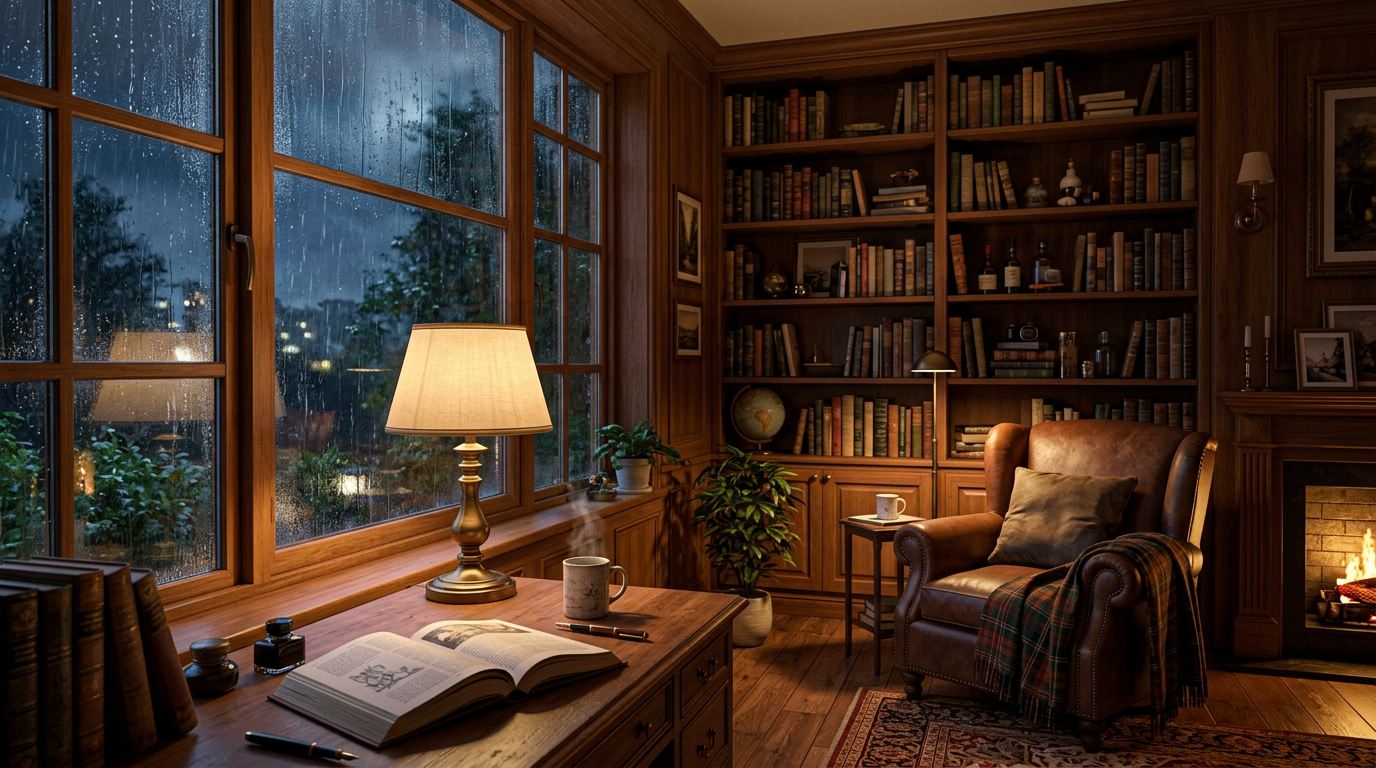
AI-generated preview for Rainy-Night Reading RoomInteractiveAI-generated preview

Rainy-Night Reading Room

Imagine an interactive 3D study on a rainy night, with text and image reading.

Original prompt

Source-post screenshot captured in the replies, not a standalone project render.

Source on X: @berryxia
Read original prompt · 28 characters
用自然语言造一间雨夜书房。3D 可交互,包含图文阅读等。
Interactive

Model Router Console

Build a self-contained HTML developer tool that detects a prompt’s needs and ranks individual LLMs against them.

Original prompt
Source on X: @eyishazyer
Read original prompt · 3716 characters
Build an interactive web tool called a "model router console" — a single self-contained HTML file with inline CSS/JS, no external dependencies except Google Fonts if needed.
THE CONCEPT
A developer pastes a prompt. The tool detects what the prompt actually needs (code, reasoning, vision, long context, creative writing, high-volume/cheap, etc.) and ranks a full catalog of individual LLMs against those needs, not just against company/provider names.
CRITICAL REQUIREMENT: full model names, not provider badges
Every model must be listed and scored individually, by its actual current model name, not lumped under a company logo. Before building the catalog, check for the actual current lineup as of today, don't rely on stale training data, since this space moves fast and new flagship models (like GPT-6 Astra, launched Sept 2026) may postdate what you already know. Build out a realistic, current catalog covering multiple models per provider, for example:
· Anthropic: Claude Opus 5, Claude Sonnet 5, Claude Haiku 4.5, Claude Fable 5.1
· OpenAI: GPT-6 Astra, GPT-5.1, GPT-5.1 mini
· Google: Gemini 3 Pro, Gemini 3 Flash, Gemini 3 Flash-Lite
· Meta: Llama 4 (relevant size variants)
· Mistral: Mistral Large, Mistral Small
· Chinese labs: DeepSeek V4, Qwen 3 Max, Qwen 3 (smaller variant), Kimi K2, GLM (if relevant)
Verify this list reflects what's actually shipped right now, not an assumption, and include 15-20+ real, individually named models.
FILTERING
· Provider-level toggles (Anthropic only / include OpenAI / include Chinese labs / etc.) still exist, but the ranked output always shows specific model names, never just "OpenAI" as a result.
· Let me toggle individual models off too, not just whole providers, in case I want everything except one specific model.
FUNCTIONAL REQUIREMENTS
· Prompt input box, with a few example prompts I can click to auto-fill.
· Detect signals from the prompt text (code, vision, reasoning, long-context, creative, cost-sensitive/high-volume) using simple heuristics, and show them as tags.
· Two adjustable priorities: cost-efficiency vs. raw capability, and latency tolerance. These should visibly change the ranking, not just be decorative sliders.
· Ranked list of individual models with a score, a short plain-English reason each one ranked where it did, and enough visual distinction that the #1 pick is unmistakable at a glance.
· Show a JSON block at the bottom representing what a real router API would return (selected_model, confidence, fallback_model, weights_used, etc.), updating live as I change inputs.
· Be explicit in the UI, in one short line, that the per-model scores are illustrative starting weights, not real benchmark data, since I don't want to misrepresent this as live performance data.
INTERFACE REQUIREMENTS
This needs to look like a serious, credible developer tool, not a generic AI-generated SaaS demo. Specifically avoid: cream background with terracotta accent, near-black background with a single neon accent, generic rounded "card soup" with identical shadows on everything, ALL-CAPS labels everywhere, middot-separated meta text, em-dash-heavy labels, arrow-suffixed buttons.
Instead: think about what an actual internal engineering tool looks like, dense, functional, data-forward, more like reading a routing table or an API response than a marketing page. Use a monospace font specifically for model IDs, scores, and the JSON block since that's real data, and a clean sans-serif for everything else. Support both light and dark mode based on system preference. Make sure the ranked list is genuinely easy to scan at a glance, that's the core interaction and it needs to feel good, not just function.
Give me the full HTML file.
Simulation

Colorstorm Island Simulator

Control a colorful WebGL storm with dynamic particles, lighting and destruction physics.

Original prompt
Source on X: @vib3coded
Read original prompt · 4,000 characters
PROMPT
Project Concept: Vibrant Isometric Hurricane Simulator This project is a real-time, colorful, low-poly style WebGL simulation of a violent tornado striking a small, vibrant, localized diorama of a city island. It emphasizes the contrast between a colorful, well-to-do resort and chaotic destruction. Technical Architecture: three.js + WebGL Core Scene Elements (Asset Requirements) Diorama Base: An isometric, stylized diorama base featuring a sandy beach, a turquoise ocean area, and a paved road winding around the structures. Retain the dolphin model and the original red and white camper van on the beach. Structures: Multiple low-poly, brightly painted (turquoise, orange, pink) beach houses and a single, colorful low-poly skyscraper with neon signage (e.g., a glowing sign reading "CITY PALMS TOWER"). Vehicles: Multiple classic and luxury style low-poly vehicles (e.g., a small vintage car, a sleek sportscar, a second van). High-Fidelity Simulator Features 1. The Dynamic Tornado (Shader & Particle FX) This is the central visual element. Do not use a static model. Implementation: Use an advanced particle system (Custom ShaderMaterial) for the tornado vortex. Visuals: Instead of natural grey, the tornado must be vibrant and multi-colored. Use a Vertex Shader to blend colors like deep blues, electric purples, and fiery oranges/reds throughout the funnel. Use a Fragment Shader with noise and gradient textures to create the dynamic, swirling motion and texture. Volumetric Clouds: The sky should use Custom Volumetric Fog or large, softly blended particle clusters. 2. Destruction & Physics System To simulate the tornado "sweeping through," objects must be dynamically affected. Implementation: Integrate a rigid body physics engine (e.g., Cannon.js or Ammo.js) into the three.js loop. Mechanics: Give all small objects (vehicles, furniture models, road debris) collision bodies. Apply a cyclonic force (a combination of tangential and upward forces) to objects within the tornado’s radius. Vehicles must lift off the ground, tumble, and spin. Destruction: Structures should be made of destructible parts. A house might split into two or three rigid body sections when the tornado force exceeds a threshold, allowing walls to break away. 3. "Alarm" Stage Lighting & Atmosphere The simulation should have phases. Static Phase: Bright, sunny, resort lighting. Alarm Phase: The sky shifts from bright to dark and stormy. Introduce dramatic, rhythmic flashing emergency strobe lighting (red and blue spotlights) reflecting off the water and buildings. Introduce volumetric lightning flashes within the cloud layer using an EffectComposer (Post-processing Bloom). 4. The Interactive THREE.JS GUI A functional GUI is essential for a simulation feel, mimicking the one shown in the sample. Implementation: Use dat.gui (or a similar lightweight three.js GUI library) placed on the side. Options (English text only): THREE.JS HURRICANE SIMULATOR (Title) ALARM: Active / Inactive (Toggles the emergency lighting) STORM COLOR: Multi-Color / Realistic / Dark (Changes the tornado shader parameters) WIND SPEED: Slider (1 to 100) (Controls the physical force applied) OBJECT DESTRUCTION: Enabled / Disabled (Toggles house destruction mechanics) 5. Recommended Open-Source Resources to Use Models: Look for high-quality, open-source (CC0 or Attribution) Low-Poly City Packs on Sketchfab or TurboSquid for vehicles and buildings. Shaders: Check the three.js/examples/jsm/shaders/ directory. Use a modification of Water.js for the agitated ocean and UnrealBloomPass.js for the lighting effects and the bright tornado. Look for existing volumetric fog or complex particle examples on GitHub to modify for the tornado itself.  By combining these elements, you will create a highly interactive WebGL experience where the user controls the storm's intensity, watching in real-time as a complex physics simulation lifts cars and shreds low-poly houses in a dazzling display of color and destruction.
Simulation

One-Turn Pen Balance

A robot-hand simulation challenge: spin a pen once and finish steady without PPO.

Original prompt
Source on X: @jianglong_ye
Read original prompt · 150 characters
"There's a pen simulator here. A robot hand lies palm-up with a pen on its fingers. Spin it one full turn without dropping it, ending steady. No PPO."
Simulation

Train a Dexterous Pen Spinner

An Isaac Lab reinforcement-learning brief for a Sharpa hand, trained policy and visualization.

Original prompt
Source on X: @walterzhu8
Read original prompt · 264 characters
Implement pen spinning with a dexterous hand. Use Isaac Lab for RL training, use the Sharpa hand, and create the pen mesh yourself. Give me a trained RL policy and a visualization video. You are free to search the web and download papers or anything else you need.
AI-generated preview for BTC Strategy Connection CheckSimulationAI-generated preview

BTC Strategy Connection Check

A short hourly BTCUSDT backtest instruction for checking a trading-tool connection, not investment advice.

Original prompt
Source on X: @DaviddDotTech
Read original prompt · 81 characters
"Backtest a simple strategy on BTCUSDT 1 hour, just to make sure we're connected"
3D & Scenes

Cinematic Titanic Night Reconstruction

Build a single-file Three.js real-time 3D reconstruction of RMS Titanic at night, aiming for 60fps.

Original prompt
Source on X: @YouWareAI
Read original prompt · 4224 characters
Create one single, self-contained HTML file. No build step. No frameworks. Three.js from a CDN importmap only. Zero external assets: no images, no GLTF, no audio files, no fonts files. Everything must be generated in code at runtime.  Build a cinematic, historically grounded real-time 3D reconstruction of RMS Titanic on the night of 14–15 April 1912.  GOAL A browser experience that feels like a short film you can orbit, not a toy demo. One file I can open locally and it just runs at 60fps on a decent laptop.  SHIP - Procedural RMS Titanic, correct silhouette: long black hull with red boot topping, white superstructure, four buff/black funnels (fourth dummy), two masts, promenade decks, lifeboats on davits, bridge, wing cabs, portholes and rows of warm cabin windows. - Approximate real proportions (≈882 ft). Do not use a box with cylinders. Hull from custom extrusion / lofted sections with a proper clipper bow and counter stern. - Hundreds of individual window lights that stay on, flicker slightly, and reflect in the water. - Funnel smoke as particles or animated volumes. Masthead / navigation lights (green starboard, red port, white masthead). - Deck details: railings, cranes, cargo hatches, benches, skylights. Enough density that a close fly-by does not look empty.  OCEAN AND NIGHT - Dark North Atlantic at night. Calm but not dead: long swell, foam at the bow, wake, specular moon/star reflections. - Custom water (not a flat plane with one normal map). Reflections of the ship lights are mandatory. - Starfield + Milky Way. Distant cold horizon. Subtle fog. - Iceberg that is historically large and irregular, not a low-poly cone. Visible growler ice around it later.  CAMERA - Start with a hero wide shot of the fully lit ship steaming left-to-right, title overlay: TITANIC. - Then a scripted cinematic path: bow fly-by, along the hull windows, up to the boat deck and funnels, pull back to three-quarter aerial, then the approach to the iceberg, the glancing blow on the starboard bow at 23:40, list developing, lights still blazing, final distant wreck tableau at dawn-lilac water. - Also allow orbit / zoom after the film starts so it is “real-time 3D in the browser”, not only a locked camera. - Smooth ease-in/out. No jitter.  HISTORICAL TIMELINE (must be minute-accurate, not vibes) Drive a clock from the evening of 14 April through the sinking. At minimum include captions for: - steaming at ~22 knots through a flat calm, unusually cold night - 23:40 collision, starboard bow against the iceberg - first damage reports / compartments flooding - CQD then SOS from the Marconi room, callsign MGY - boats being swung out - increasing list and settling by the head - breakup / final plunge toward 02:20 Show a discreet caption bar with time + one line of historical context. Include Morse CQD / CQD DE MGY as both on-screen dots-dashes and synthesized beeps via Web Audio.  AUDIO - An original orchestral score written entirely in code with the Web Audio API. - Sequence at least two thousand notes (strings, low brass, sparse piano, distant hymn-like motif). No copyrighted Titanic film music. No sample files. - Score must sync to picture: quiet grandeur on the opening wide shot, dissonance and percussion at 23:40, thinning textures as the ship dies, almost silence after the lights go. - Layer engine thrum, water, steam, distant voices as synthesized beds, very low in the mix. - Mute toggle.  TECH CONSTRAINTS - One HTML file, inline CSS + JS modules. - Three.js only extra runtime dependency. - All geometry, materials, textures, smoke, water, stars, notes = procedural. - Target one file around several hundred KB to ~1MB of source, tens of thousands of lines is fine if needed. - Resize handler, pixel ratio cap, basic quality fallback so integrated GPUs survive. - No placeholder comments. No “add iceberg later”. Ship a finished piece.  UI Minimal, elegant, dark. Opening lockup: TITANIC one prompt → one HTML file Then later lower-thirds only for timeline / score / tech stats. Do not clutter the frame.  TONE Respectful, cold, beautiful, inevitable. Not a cartoon, not a game with a score, not an “avoid the iceberg” arcade. A memorial reconstruction that happens to run in WebGL.
Games

Sky Island Tram Driver

Build a single-file Three.js game driving a retro aerial tram between islands above a sea of clouds.

Original prompt
Source on X: @AIBoticssq
Read original prompt · 3318 characters
Prompt:Create a single-file HTML/JS 3D game (Three.js) that can be played directly in the browser, with a warm, low-poly but polished indie game style, evoking the feel of a Ghibli seaside town combined with the smoothness of Zelda's mine cart tracks.      【Core Gameplay】  The player drives a retro aerial tram, traveling between islands floating above a sea of clouds and the ocean surface.  - The track is a continuous 3D railway, featuring straight sections, uphill slopes, downhill slopes, elevated curves, and long bridges across the sea  - Controls: W to accelerate (Power), S to brake (Brake), left and right for fine-tuning or switching the view  - Real-time display: speed in km/h, number of passengers on board (e.g., 12/16 aboard), road conditions (Steady / Crosswind)  - Passenger comfort system: sudden acceleration, hard braking, taking corners too fast, and crosswinds all reduce "leg comfort"; arriving at the destination smoothly earns bonus points (e.g., +75 at arrival)  - Streak: driving too bumpily will trigger the message "Streak broken. Find your balance to rebuild your tips."  - Arrive at the station, open the doors for passengers to get on and off. On the platform, there are townsfolk queuing up, with subtitles such as "Doors opening - Mango Tide," "Please wait…"     [World and Stations]  At least two routes/two islands:  1. Saltlight Terminus  2. Mango Tide  The island is a rocky island floating above the clouds, with small Mediterranean/Southern European-style houses with red-tiled roofs, a lighthouse, a dock, green trees, streetlights, and warm yellow windows at night. In the distance, there are more floating islands and circling orbits. The sky is a blue-purple gradient from dusk to night, with stars and thick clouds, and below is azure seawater.     [Tram Exterior]  Retro tram: dark green body, wood-colored chassis, curved glass windows, roof luggage, green awning/vine decorations, and various passengers sitting inside. While moving, there is a slight swaying motion and a sense of track sounds (which can be conveyed with simple sound effects or visual cues).     [Scene 2: Workshop Modification]  Switch to the top-down isometric view of the workshop "Cloudworks / Oliver Cloudworks / Oliver's home island."  Players can swap parts for the tram, with an interface like an upgrade pop-up:  - Hearth leaves — Lifting the old part  - Little Companion — Preparing the tram  Progress bar + "Sit back and watch the workshop."  Changes to the tram's appearance after modification (e.g., green roof, added luggage rack, lanterns, vines), then it drives out of the workshop, subtitles "All aboard." / "Next stop: the Coastal Line."     [UI]  Clean modern casual game UI: destination and currency/streak in the top-left, speed bar and Power/Brake buttons at the bottom, comfort progress bar connecting the two station names. No clutter, don't make it horror or cyberpunk.     [Technical Requirements]  - Single file or minimal files, Three.js  - Use curves for the track (CatmullRom, etc.) so the tram follows the rails, camera follows with a slight rail feel  - Simple physics feel: acceleration inertia, braking deceleration, body roll when cornering  - On mobile, try to also support tap to accelerate/brake  - Readable code, with comments, playable as soon as it's opened.
3D & Scenes

Interactive IWC Watch Model

Build a highly detailed, disassemblable 3D watch model in Three.js with real timekeeping hands.

Original prompt
Source on X: @YouWareAI
Read original prompt · 918 characters
Use Three.js to develop a highly faithful 3D interactive watch model of an IWC Schaffhausen timepiece. Requirements: 1) The dial structure must be highly precise, with every mechanical component individually rendered and clearly distinguishable; 2) The watch face must use a sapphire glass material with realistic transparency, refraction, and reflection effects; 3) The minute hand and second hand must be correct hands that follow real timekeeping logic, with automatic continuous hand-sweep animation; 4) Support disassembly and reassembly of the watch, with each part able to be separated and viewed individually; 5) The overall level of detail must be extremely high, closely matching the structure and proportions of a real watch, with realistic material textures for screws, metal parts, and other components, and fine craftsmanship. Please ensure the model runs smoothly in the browser and interacts naturally.
3D & Scenes

Peaceful Watermill Pond

Create a calm mill pond with an old watermill and a controllable boat using Blender and Three.js.

Original prompt
Source on X: @zavrenn
Read original prompt · 189 characters
"Create a peaceful mill pond with an old watermill, a controllable wooden boat, clear water, fish and lush banks. Use Blender for the assets and Three.js for the interactive browser scene."
Games

Mario Kart–Style Intro Race

Recreate a cinematic Mario Kart–style intro screen with bots racing each other, in Three.js.

Original prompt
Source on X: @sawyerhood
Read original prompt · 139 characters
Make me a version of Mario Kart in three.js. It should be like the intro screen where you see the bots all racing each other cinematically.
Games

Pet the Dog Mini-Game

Turn a 3D dog model into a clickable web game where petting the dog makes it happy.

Original prompt
Source on X: @Sheldon056
Read original prompt · 140 characters
Based on this model, help me create an interactive game website. When the mouse clicks, you can pet the dog, and the dog will be very happy.
Simulation

Peruvian City Traffic Simulation

Simulate the real traffic of Jauja, Peru and render it in 3D with Blender.

Original prompt
Source on X: @ValeroDev_
Read original prompt · 86 characters
simulate the traffic of a real Peruvian city (Jauja) and render it in 3D with Blender.
Interactive

Pixel Rabbit Archer Animation

Render an animated pixel-art rabbit archer in a single self-contained HTML file with vanilla Canvas 2D.

Original prompt
Source on X: @KanaWorks_AI
Read original prompt · 5762 characters
Create a single self-contained HTML file that renders an animated pixel art rabbit archer character using vanilla JavaScript and Canvas 2D.

Use the attached KANA rabbit character as the visual reference:
- White rabbit
- Large upright ears with cyan/blue glowing inner-ear details
- One normal blue eye
- One red cybernetic mechanical eye
- Yellow hoodie with “KANA”
- Dark blue gloves and pants
- Yellow/blue sci-fi mechanical leg armor
- Cute chibi proportions
- Futuristic bow and arrow weapon
- Small quiver on the back

Do not use external assets, libraries, images, fonts, or network requests.
Everything must be drawn procedurally with code.

RENDERING
- Render everything first to an offscreen canvas at a fixed logical resolution of 160x120.
- Scale it to a fullscreen display canvas using the largest integer scale that fits the browser window.
- Center the canvas.
- Set imageSmoothingEnabled = false.
- Use CSS image-rendering: pixelated.
- All coordinates must snap to integers.
- No gradients, blur, anti-aliasing, shadowBlur, or sub-pixel rendering.
- Use a fixed palette of approximately 28 colors:
  dark navy background colors,
  white/gray fur,
  yellow hoodie colors,
  blue clothing colors,
  red cyber-eye colors,
  cyan ear-light colors,
  yellow/orange bow and arrow effects.

CHARACTER
Build the rabbit procedurally from pixel rectangles, polygon-like pixel runs, circles approximated with pixels, and simple block shapes.

Approximate character size:
- 28–34 pixels wide
- 40–48 pixels tall

Keep the silhouette clearly recognizable:
- Large rabbit ears
- Round fluffy head
- Small body
- Cybernetic red eye
- Yellow hoodie
- Mechanical legs
- Bow
- Arrow
- Quiver

Animate ears, head, arms, legs, hoodie, bow, arrow, and body separately.

Quantize animation poses so that although the main loop renders at 60fps, the visual animation feels like polished 8–12fps sprite animation.

ACTIONS

Create a looping animation showcase containing these 8 actions:

1. IDLE
- Rabbit stands ready
- Slight body bob
- Ears move subtly
- Hoodie and quiver sway
- Cyber eye pulses softly
- Bow held relaxed at the side

2. RUN
- Fast forward running animation
- Strong alternating leg motion
- Arms balance the movement
- Bow held in one hand
- Quiver bounces
- Ears trail slightly backward
- Small dust pixels appear under the feet

3. AIM
- Rabbit plants feet firmly
- Raises bow
- Pulls arrow from quiver
- Nocks arrow
- Draws bowstring backward
- One eye focuses on target
- Cyber eye becomes brighter
- Body leans slightly into the shot

4. SHOOT
- Release the bowstring
- Arrow fires rapidly across the screen
- Bow recoils slightly
- Rabbit’s arm follows through
- Bright yellow energy trail follows the arrow
- Small 1–2 pixel screen shake
- Cyber eye flashes red
- Brief muzzle-like light burst from bow

5. JUMP
- Rabbit crouches
- Jumps upward
- Legs tuck under body
- Ears react with delayed motion
- Bow held close to body
- Small dust burst on takeoff
- Slight squash and stretch using pixel-safe integer transformations

6. DODGE / ROLL
- Rabbit quickly ducks
- Rolls sideways
- Bow is kept close to the body
- Ears flatten backward
- Small dust particles and motion pixels
- End in a low combat-ready pose

7. HURT / HIT
- Rabbit gets knocked backward slightly
- Head snaps back
- Ears react dramatically
- Cyber eye flickers
- Small pixel stars or impact sparks appear
- Bow lowers or nearly drops
- Character recovers after a short delay

8. VICTORY
- Rabbit raises bow overhead
- Happy expression
- One ear tilts playfully
- Cyber eye glows brightly
- Small yellow celebration particles appear
- Character performs a short victory bounce
- End pose should feel cute and heroic

STATE MACHINE

Use this loop:

IDLE
→ RUN
→ AIM
→ SHOOT
→ JUMP
→ DODGE
→ HURT
→ VICTORY
→ IDLE

Each action should last long enough to clearly read visually.

Use easing functions for pose transitions.

Add short transition animations between states so the loop feels continuous instead of abruptly switching poses.

BOW AND ARROW
- Futuristic curved bow
- White / dark navy body
- Yellow glowing mechanical joints
- Thin bright bowstring
- Arrow has a bright yellow arrowhead
- Arrow trail during SHOOT should last briefly
- Quiver contains several visible arrows

PARTICLES
Implement an allocation-free pooled particle system.

Preallocate all particles before the animation loop.

Particle types:
- Foot dust
- Arrow trail
- Bow energy sparks
- Cyber eye sparks
- Hit stars
- Victory particles

Each particle changes palette color as it ages.

Do not allocate new objects inside the main loop.

SCENE
Create a minimal pixel-art environment:
- Dark night sky
- A few 1px stars
- Large moon
- Simple stone or futuristic platform
- Very subtle distant silhouettes

The background must remain simple so the rabbit silhouette is always readable.

Add subtle cyan/red rim lighting from the cybernetic eye and yellow rim lighting from the bow during AIM and SHOOT.

TECHNICAL REQUIREMENTS
- Single HTML file
- Vanilla JavaScript only
- Canvas 2D only
- No libraries
- No SVG
- No external images
- No assets
- No network requests
- Fixed 60Hz timestep
- requestAnimationFrame for rendering
- Zero object allocation inside the main animation loop
- Stable 60fps
- Responsive fullscreen scaling
- Crisp integer-scaled pixels

QUALITY BAR
The result should look like a polished 16-bit action-game protagonist sprite animation.

Avoid the appearance of simple geometric shapes.

The rabbit should feel expressive, cute, fast, and combat-capable.

The eight actions must all have clearly different silhouettes.

The character design must remain consistent across every animation state.

The final result should feel suitable for an actual pixel-art action game.
3D & Scenes

Hyper-Real Desert Campfire

Create a single-file HTML scene of a live desert campfire at night with stars, log seats and passing wildlife.

Original prompt
Source on X: @Nixtrodamis
Read original prompt · 503 characters
Do not reference any other file or previous work. This task must be fully original and not built as a cheat from any other work here.

Create a single html file of a live campfire in the desert. It is night time and the stars are visible. there are log stumps set up as seats around the fire. no people are in the shot. different wildlife may periodically come into view and out.

noises should also match the scene and be of high quality.
Make everything hyper realistic

name the file (based on model)
Games

Giant Cat City Rampage (Multi-Agent Build)

Direct a three-subagent team to build a genuinely playable Three.js game where a giant cat smashes a skyscraper city.

Original prompt (English translation)
Source on X: @KemoAIDev
Read prompt (English translation) · 13405 characters
You are the parent agent for this project. The model to use is GPT-6 Luna Max, and if possible stand up three sub-agents of the same Luna Max and use them in parallel.

The goal is to complete, centered on Three.js, "a genuinely playable browser game in which a giant cat rampages through a cluster of skyscrapers."

It must not be a mere physics demo, destruction simulator, or technical proof of concept; "being fun as a game" is the single most important requirement.

# 0. Agent structure

The parent agent is responsible for the overall design decisions, integration, prioritization, and final quality of the project.

First, stand up three Luna Max sub-agents, and in principle divide the responsibilities as follows.

## Subagent A: Gameplay / Game Design
Responsibilities:
- Game loop
- Controls
- Cat punch, movement, attacks
- Score
- Combos
- Objectives
- Risk and reward
- Difficulty
- Sense of satisfaction
- Feedback to the player
- Evaluating "game-likeness"

In particular, make sure it does not end up as merely "you can break buildings."

## Subagent B: Destruction / Physics / Technical
Responsibilities:
- Three.js-related technology
- Physics engine selection
- Building collapse
- Collisions
- Rubble
- Performance
- Object management
- Destruction expression
- Camera
- Technical stability

You do not need to aim for realistic structural analysis.
Prioritize destruction that feels good as a game, is easy to understand, and has a realistic processing load.

## Subagent C: Visual / UX / QA Critic
Responsibilities:
- Art direction
- Voxel-leaning city expression
- UI/HUD
- VFX
- Lighting
- Color and screen composition
- Legibility
- Quality assessment via screenshots
- Strict, third-party-perspective self-review

Judge by actually looking at the screen, not "it's good because it was implemented."

The parent agent must not adopt the three agents' opinions as-is; resolve contradictions and make the final decision.

You may have each sub-agent re-investigate or re-evaluate as needed.

# 1. Game concept

Make a game in which you control a giant cat and rampage through a city with skyscrapers.

Direction:
- Giant cat vs. city
- Make building destruction by cat punches the main attraction
- Buildings collapse in a somewhat physical way
- But do not aim for realism
- The city and buildings are somewhat voxelized/simplified
- Prioritize making mass destruction visually easy to understand
- The cat's enormity should be conveyed at a glance
- It should feel good just to control the cat

Place particular emphasis on the quality of the cat model and the cat punch.

As far as possible, carefully craft the cat's model, poses, punch motion, and the reaction on contact.

Implementations that call a simple box "a cat" are not acceptable.

Rather than relying entirely on ready-made assets, build a concise model that fits this game.

# 2. Most important: make it a "game"

The most common failure in this project is being satisfied once you have implemented:

"the cat can walk"
"buildings break"
"the physics runs"

That is prohibited.

At minimum, consider the following and make it hold up as a game.

- A clear start and end
- A goal the player can understand
- A score or achievement metric
- Meaning to breaking buildings
- Meaning to using different cat punches
- Rewards for combos or continuous destruction
- Some constraint such as risk / time / enemies / resources
- Room for the player to improve
- A difference between good play and bad play
- Strong feedback on large-scale destruction
- A mechanism that makes players want to replay

It does not need to be a complex game.

Rather, prioritize that "even a single play of a few minutes makes it clear what to do, the destruction feels good, and you want to do it again."

As initial ideas,
"how much of the city you can destroy within a time limit,"
"the multiplier rises with continuous destruction,"
"large buildings and special facilities are worth high points,"
"think about a destruction route without breaking your combo,"
are candidates, but you do not need to adopt them as-is.

Subagent A and the parent agent should decide the game loop before implementation.

# 3. Technical stack

Required:
- Three.js

For things other than Three.js, you may introduce any widely used, well-maintained library.

A physics engine may also be used.

Example candidates:
- Rapier
- cannon-es

However, you are not bound to these candidates.

Decide the technical choices based on:
- Stable in the browser
- Integration with Three.js
- Performance
- Ease of maintenance

Avoid excessive custom physics-engine implementation.

# 4. Building destruction

Full real-time structural analysis is unnecessary.

Design "plausible-looking destruction" suited to a game.

For example, consider:
- Compose buildings from multiple blocks
- Obtain the contact point, direction, and power of the cat punch
- Lose support above a certain impact
- The upper part tilts
- Part of it separates
- It collapses in a chain
- Separate large rubble from small decorative fragments
- Simplify physics at long distances

However, avoid a design that attaches a rigid body to every one of a huge number of small voxels and destroys performance.

Balance "being physically convincing" with "being able to destroy en masse."

Also avoid lazy implementations where the collapse direction is unrelated to the cat punch, buildings simply vanish, or they collapse the same way every time.

# 5. Cat punch

The cat punch is the center of this game.

At minimum, consider:
- A wind-up before the attack
- The arm swing
- Contact detection
- Contact direction
- Power
- The building's reaction
- Camera reaction
- VFX
- A structure that can use sound effects
- Hit-stop or a similar impact feel

The moment the punch touches a building and the moment the building breaks must visually coincide.

A mere click that destroys a building is insufficient.

Also value control responsiveness.

# 6. Visuals

Do not aim for photorealism.

Direction:
- Stylized
- Voxel / Blocky
- The giant cat's silhouette is easy to read
- The buildings look densely clustered
- Where you destroyed is obvious at a glance
- A large difference before and after destruction
- It feels like the city continues into the distance
- Strong gaze guidance on punches

If necessary, use:
- InstancedMesh
- LOD
- Simplified distant views
- Fake windows
- Decal-like expression
- Particles

Prioritize a unified art style.

# 7. Camera

Design a camera that makes the giant cat and the city destruction look as satisfying as possible.

Do not commit to just a simple fixed third-person camera; also consider camera expression for:
- Normal movement
- Punches
- Large-scale collapse
- Combos
- Special destruction

However, do not harm controllability with violent shaking.

# 8. First, create a fixed evaluation standard

Before starting implementation, the parent agent plus the three sub-agents should create a 100-point evaluation standard.

It must total exactly 100 points.

Include, for example, the following viewpoints:
- Fun as a game
- Fun of controlling the cat
- Satisfaction of the cat punch
- Building destruction/collapse
- Game loop
- Feedback
- Visuals
- UI/UX
- Performance
- Stability
- Level of completion

However, decide the point allocation yourselves.

Important:
Once the scoring standard, point allocation, and each item's judgment conditions are fixed, you must never change them afterward.

Midway changes such as
"this item is hard so lower its points"
"change the standard to emphasize features we could implement"
are prohibited.

Save it as rubric.md or similar, and use the same one in all subsequent evaluations.

For each score band, specify as concretely as possible what must be confirmed to earn what score.

# 9. Develop -> verify -> score -> improve loop

After the first playable version is complete, perform at least 5 and at most 10 improvement iterations.

Iteration 1
->
Run
->
Verify the actual screen
->
Obtain evidence such as screenshots
->
Self-score with the fixed rubric
->
Analyze problems
->
Improve

Repeat this.

At least 5 times is mandatory.

Even if you exceed 80 points in fewer than 5 iterations, ending is prohibited.

From the 5th onward, you may end if
"the overall score by the fixed rubric exceeds 80 points."

If it is 80 or below, proceed to the next improvement.

However, if you reach the 10th, you may end there regardless of the score.

Therefore the end conditions are:

iteration >= 5
AND
score > 80

or

iteration == 10

Make the condition "exceeds 80," i.e., 81 or more, not "80 or more."

# 10. Prohibitions on self-evaluation

Score-rigging is prohibited.

Evaluations like "last time was 72 so this time let's make it 82" are prohibited.

Always base it on results you actually confirmed.

For each iteration, record:
- What you confirmed
- Which evidence it is based on
- Which rubric conditions were met
- Why that score
- What improved from last time
- What is still lacking

For items that cannot be confirmed by screenshots alone, use other evidence such as run logs, FPS, code, and test results.

Do not give high scores to items you have not confirmed.

Adding points by guesswork is prohibited.

# 11. Visual verification

In each iteration, actually launch the game and verify the screen by whatever means possible.

At minimum, confirm:
- Normal play
- The sense of scale between cat and buildings
- Before a punch
- Punch hit
- During building collapse
- After mass destruction
- UI/HUD

Take multiple screenshots as needed.

Have Subagent C critically review the screenshots.

Do not treat visual quality as passing based only on "it should be so in the code."

# 12. No E2E

E2E testing is prohibited.

You must not set up or run an E2E test suite using Playwright, Cypress, or the like.

However, the following are allowed:
- unit test
- integration test
- type checking
- build
- lint
- CPU tests of physics logic
- numerical verification
- actually launching the game and having a human or agent look at the screen
- taking screenshots
- checking state via browser dev tools, etc.

Do not escape into automated E2E testing; evaluate the actual screen.

# 13. Improvement priorities

In each iteration, rather than simply fixing bugs, fix based on
"what to fix next that most improves the actual player experience."

Do not consume iterations on minor code beautification.

The priority is in principle:

1. Problems where it does not hold up as a game
2. The feel of controls, cat punch, and destruction
3. Feedback to the player
4. Visual problems
5. Performance and stability
6. Minor polish

However, fatal bugs are the top priority.

# 14. Performance

Design it to run realistically as a browser game.

Focus on verifying the moments of mass destruction.

Use as needed:
- object pooling
- instancing
- sleeping
- debris lifetime
- physics activation range
- simplified colliders
- fixed timestep

Just because thousands are visible on screen does not mean all thousands need constant high-precision physics.

# 15. Judgment during development

The parent agent should judge not as a mere task manager but as a director who actually makes the game better.

When the sub-agents' opinions differ, choose "the plan that most improves the player experience."

You may cut features whose effect is thin relative to implementation cost.

Conversely, do not reject a small improvement essential to gameplay merely because "it is not written in the spec."

# 16. Deliverables

Ultimately, leave the following:
- A working game
- README
- Controls
- Technical composition
- Explanation of the game rules
- The fixed 100-point rubric
- Each iteration's evaluation record
- Each iteration's score
- Evaluation rationale
- Main improvements
- Final score
- Remaining issues

In the final report, do not end with just "it's complete"; concisely summarize:

1. What kind of game it ultimately became
2. What is fun about it as a game
3. How you implemented the cat punch and building destruction
4. What you used the three sub-agents for
5. The fixed rubric
6. The score progression from iteration 1 to the final iteration
7. What you actually confirmed in each iteration
8. The weaknesses that ultimately remain

# 17. Re-confirming the most important constraints

The following are absolute conditions.

- Parent: GPT-6 Luna Max
- Use three Luna Max sub-agents as much as possible
- Three.js-centered
- A giant cat destroys a cluster of skyscrapers
- Build the cat model properly
- Build the cat punch properly
- Handle building collapse somewhat physically
- Voxel/Stylized-leaning rather than photoreal
- Make it a game, not a tech demo
- Fix a 100-point rubric before implementation
- No changing the rubric afterward
- No E2E
- Self-evaluate based on evidence such as the actual screen and screenshots
- No adding points by guesswork for unconfirmed items
- At least 5 improvement iterations
- At most 10
- From the 5th on, you may end at 81 or more
- Below 80, continue
- If you reach 10, end
- The point is not to raise the score itself but to raise the actual quality

Before you start writing code, finalize:
"the game loop plan"
"the technical design"
"the three sub-agents' responsibilities"
"the fixed 100-point rubric"

After that, without asking me for confirmation more than necessary, proceed autonomously with implementation, verification, and improvement all the way to the end.
3D & Scenes

Forbidden City 3D Web Showcase

Model a stylized Forbidden City in Blender and ship it as an interactive, auto-rotating web page.

Original prompt (English translation)
Source on X: @goan999999
Read prompt (English translation) · 727 characters
Referring to the Forbidden City photos I provide, first use Blender to build a Forbidden City–style 3D scene showing vermilion palace walls, palace gates, and tiered yellow-tiled roofs, along with the Hall of Supreme Harmony, the Hall of Central Harmony and the Hall of Preserving Harmony on the central axis. Then turn the model into a web page that opens locally: on entering, it slowly auto-rotates and supports dragging, zooming, pausing the rotation and switching between palace viewpoints; it can also switch to a sunset view in the style of the reference image. The page must adapt to desktop and mobile, provide a one-click way to launch, and note that the model is a stylized presentation, not an exact reconstruction.
Games

Playable Web Minesweeper

Build a polished dark-mode 9×9 Minesweeper from scratch with flags, a timer and win/lose logic.

Original prompt (English translation)
Source on X: @goan999999
Read prompt (English translation) · 446 characters
Build a directly playable web-based Minesweeper from scratch. Requirements: a 9×9 board, 10 mines, left-click to reveal a cell, right-click to place a flag, automatic flood-fill of empty areas, a display of the remaining mine count and a timer, win/lose detection and restart, with the UI in a premium dark style. Do not call any Skill; you handle the planning, development, testing, bug-finding and fixing yourself until the game runs correctly.
3D & Scenes

Competition-Grade Architecture Film

Produce a 2-minute architecture presentation video with BIG-style animated analysis diagrams.

Original prompt (English translation)
Source on X: @ZHO_ZHO_ZHO
Read prompt (English translation) · 411 characters
Make a professional, international-competition-grade architecture video, 2 minutes long. First go and find top-tier references, then build it. It must include diagrams — especially animated analytical diagrams in the style of BIG — as well as shots that combine the analysis with the model in real settings. Design everything carefully before executing, and craft the voiceover and soundtrack with care as well.
Interactive

Spotlight UI Reveal Animation

Create a smooth 8–9s UI reveal animation from a screenshot using a soft circular spotlight.

Original prompt
Source on X: @HamidoFx1
Read original prompt · 405 characters
Create a smooth UI reveal animation from the uploaded screenshot. Start dimmed and desaturated, then use a soft circular spotlight to reveal the UI in full color. Move through the headline, logo, nav bar, and product cards. End with the spotlight expanding across the entire screen, followed by a quick clean flash and seamless snap into the final full-color UI. Clean, minimal motion, 8–9 seconds, 30fps.
Simulation

BuildArena 2.0 Agent Challenge

Set up an AI agent to build and control reusable rockets and vehicles in the BuildArena sandbox.

Original prompt
Source on X: @tailin_wu
Read original prompt · 802 characters
Configure https://t.co/RTQ927pKWF for me. Read the repository README and Chinese setup guide first. Check that Windows, Besiege, both required DLCs, and the specified ToolKit are installed; clearly list anything missing. Get the repository in a suitable local directory without overwriting existing files or settings. If uv is available, run uv run python scripts/setup.py; otherwise use scripts/setup.ps1. If Besiege is not detected, ask me for the Besiege_Data path. Troubleshoot and recheck until the setup command exits successfully and .local/setup-report.json reports "status": "passed"; only then say setup is complete. Connect the generated mcp.json to my current Agent client, verify that the building tools work, and explain how to run each of the three official examples in control/examples.
Interactive

Interactive 3D Jet Engine Cutaway

Build an interactive 3D jet engine with a cutaway view, X-ray mode and animated airflow.

Original prompt
Source on X: @ZentrixHQ
Read original prompt · 72 characters
an interactive 3D jet engine with a cutaway view, x-ray mode and airflow
Games

One-File Mini Golf

Build a complete mini-golf game in a single HTML file with no libraries.

Original prompt
Source on X: @hunterjreid
Read original prompt · 54 characters
build a mini golf game in one HTML file, no libraries.
Interactive

Imaginary Planets Explorer

Build an interactive website exploring imaginary planets.

Original prompt
Source on X: @Kappaemme1926
Read original prompt · 53 characters
build an interactive website about imaginary planets.
Simulation

First-Person Burger Simulator

Build a playful first-person burger-making simulator.

Original prompt
Source on X: @noclipepe
Read original prompt · 38 characters
build a first-person burger simulator.
3D & Scenes

Blender Model From a Photo

Turn a provided building photo into a focused Blender 3D model of the structure and its immediate surroundings.

Original prompt
Source on X: @highlyproteus
Read original prompt · 233 characters
please make a blender model of the provided image. The main focus is the building and a its immideate surrounding area which can just be a little bit of grass. Don't worry about to much of the fine details just get the major features
Interactive

How an LLM Answers (Motion Graphic)

Animate a 20-second motion graphic explaining how a language model turns a prompt into an answer.

Original prompt
Source on X: @TheHunterBohm
Read original prompt · 235 characters
Make a 20-second motion graphic that explains how an AI language model turns a prompt into an answer, and why a long answer costs more… The charts then break apart into pixel blocks, and those pixel blocks rebuild into the explanation.
Simulation

Three.js Toy-Sorting Factory

Build a Three.js toy-sorting factory where a robotic arm sorts conveyor-fed toys by color.

Original prompt (English translation)
Source on X: @yrzhe_top
Read prompt (English translation) · 133 characters
Build a Three.js toy-sorting factory. A conveyor belt delivers toys, a robotic arm picks them up, and sorts them into boxes by color.
Interactive

Shape-Shifting Art Animation (Pure JS)

Generate a pure-JavaScript, video-style animation that interactively shifts art styles.

Original prompt (English translation)
Source on X: @takamasa045
Read prompt (English translation) · 93 characters
Generate a video-style animation in pure JavaScript that interactively changes its art style.
3D & Scenes

DeLorean & Clock Tower Scene

Model and rig a DeLorean at a clock-tower square, then animate a lightning strike.

Original prompt
Source on X: @Stefan_3D_AI
Read original prompt · 89 characters
build the DeLorean and the clock tower square, rig the car, animate the lightning strike.

If you're the original creator of a prompt shown here and would prefer it not to appear, contact us and we'll remove it promptly.

About GPT-6 Sol Prompt

From a single-file medieval game to a detailed flight simulator, this collection brings together game ideas, 3D scenes, interactive experiences and simulations. Original prompts stay intact, including multi-step instructions and non-English text.

Use GPT-6 Sol in Combos

Pick a prompt from this collection or write your own, then start building with GPT-6 Sol in Combos. Preview your game, adjust the gameplay through follow-up prompts, and keep improving the same project — all before sharing it for others to play.

FAQs about GPT-6 Sol Prompts

What can I do with GPT-6 Sol game prompts?

These prompts give you a starting point for describing a game's world, rules, controls and visual style. Choose an idea you like, adapt it to your own game, and use it as a brief for creation in Combos.

How do I start a Combos game with a GPT-6 Sol prompt?

Copy a prompt, open the Combos creator, and paste it as your game idea. Test the playable version, then describe any changes you want to the characters, story or difficulty before sharing your game.

How are the prompts in this collection sourced?

We curate these prompts primarily from public posts on X (Twitter). If you're the original creator and would prefer your prompt not to appear here, please contact us and we'll remove it promptly.

Where can I explore more games and ideas to build?

Visit the Combos homepage to discover popular games made by the community. Play different genres, explore creative worlds, and find gameplay ideas that inspire you. You can also start creating directly from the homepage by describing your game in plain language. Preview the playable version, refine the characters, rules or difficulty through follow-up prompts, and share your game when you're ready.

Anyone can make a game now Build your game →