


Start with an idea.
Make a game anyone can join.
One idea. One prompt. Play together.
Create a new project in Combos and send a complete prompt.
Jump in from the Feed, with AI filling empty spots.
Friends and new players can join the same game anytime.
Interactive demo · Not live multiplayer
Click Join to take over the purple character.
SEE IT IN ACTION
Here’s the multiplayer experience you’ll build.
Jump in and play. Others can join anytime.
Tap to play
Auto-join a public room from the Feed.
Never play alone
AI fills the empty spots so you can start right away.
New players. Same round.
Players take over AI characters without restarting the round.
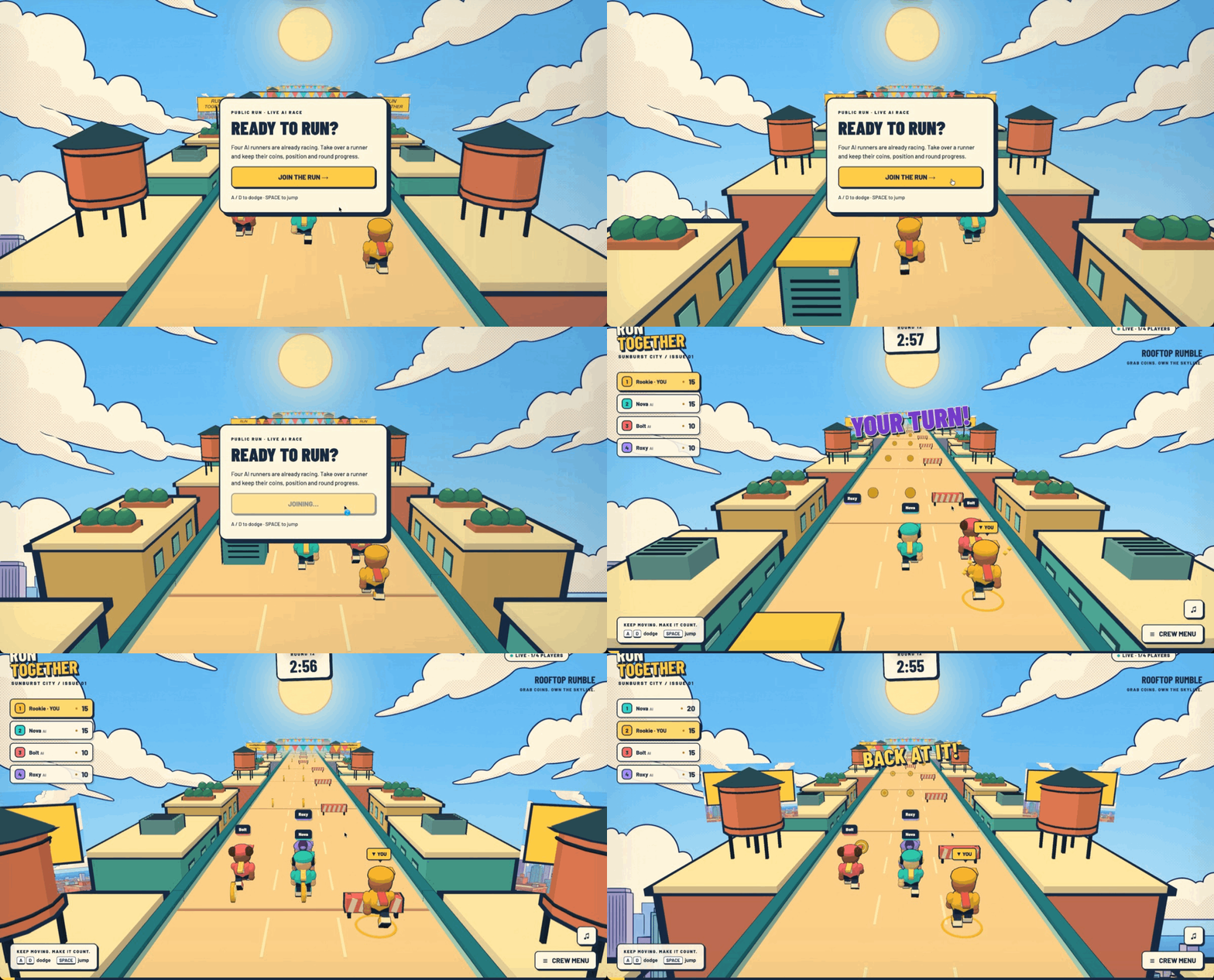 Jump in and take over an AI characterEnter from the Feed → Take over an AI character → Start playing
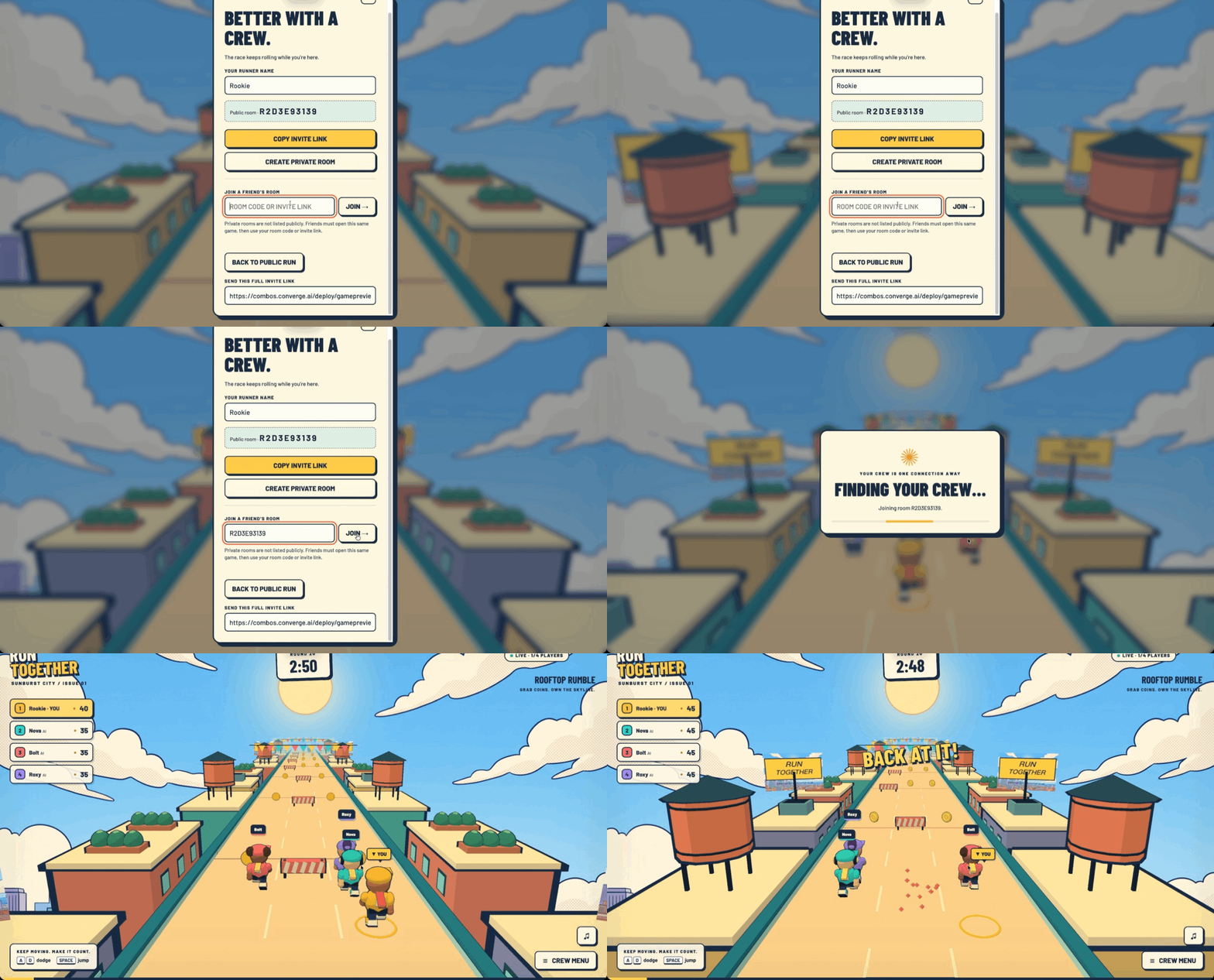 Create a private room and invite friendsCreate a room → Share an invite → Play together
The illustrations above show the concept. These recordings show AI takeover and private-room invitations in action.
Add Multiplayer to Your Game
Pair your game idea with this multiplayer prompt.
Reusable Multiplayer Prompt
New project? Copy the full prompt. Already have a game? Copy multiplayer only.
GO FURTHER · Upgrade Your Game
Playing together? Add something new.
Keep building on your collection game, racer, or runner. Choose an upgrade and send its prompt to your current project.
New map. Fresh challenges.
Add variety with new routes, tracks, or obstacles. Combos can tailor the map to your game's core gameplay.
View Prompt
Add a new map and fresh challenges to this existing multiplayer game without rebuilding it.
- Keep the current core gameplay and art style. Design one additional map with a different layout and atmosphere.
- Adapt the challenges to this game: new collectible placements for a collection game, track turns for a racing game, or obstacle patterns for a runner. Keep the challenge fair and easy to understand.
- Add a simple way to choose the map for the next round. All players and AI in the same room must use the same map, rules, and round state; late joiners enter that same ongoing round.
Preserve automatic public-room entry after confirmation, AI filling, human takeover, private rooms, and friend invitations. Start with one polished new map, then let me try it.
Make your look your own.
Dress up your character or repaint your vehicle. Add personality without changing the gameplay.
View Prompt
Add a simple cosmetic customization feature to this existing multiplayer game.
- Use the entity the player actually controls: character outfits or colors for a character-based game, or vehicle paint and decals for a racing game.
- Provide three free preset looks that fit the current art style, with a preview and an Apply button in the in-game menu.
- Let players change their look without restarting the round or resetting gameplay progress. Other players and late joiners should see the same selected appearance.
- Keep cosmetics separate from speed, hitboxes, abilities, and scoring. Apply the human player's chosen look when they take over an AI slot.
Preserve the current gameplay, public-room confirmation, AI filling, human takeover, private rooms, and friend invitations.
Add one feature at a time, then playtest it. Keep your existing gameplay and multiplayer features.
Your first multiplayer game.It starts here.
Create a new project and paste a complete prompt.
You decide how it plays. The template supplies the multiplayer rules.