


3 Hidden Gem Features,
Helping Boo Understand Your Ideas Better.
Use the screenshot, canvas, and upload features to drop game scenes, hand-drawn sketches, and existing assets straight into the Combos chat box. The more specific you are, the closer Boo can get to the picture in your head.
When words aren't enough,
just give Boo a reference.
All three tools live right next to the chat box — they're shortcuts for saying "this part's off," "I want this vibe," or "just use this asset." Type less, drop more images, and Boo will catch your idea faster.
Show Boo the Scene, Instantly
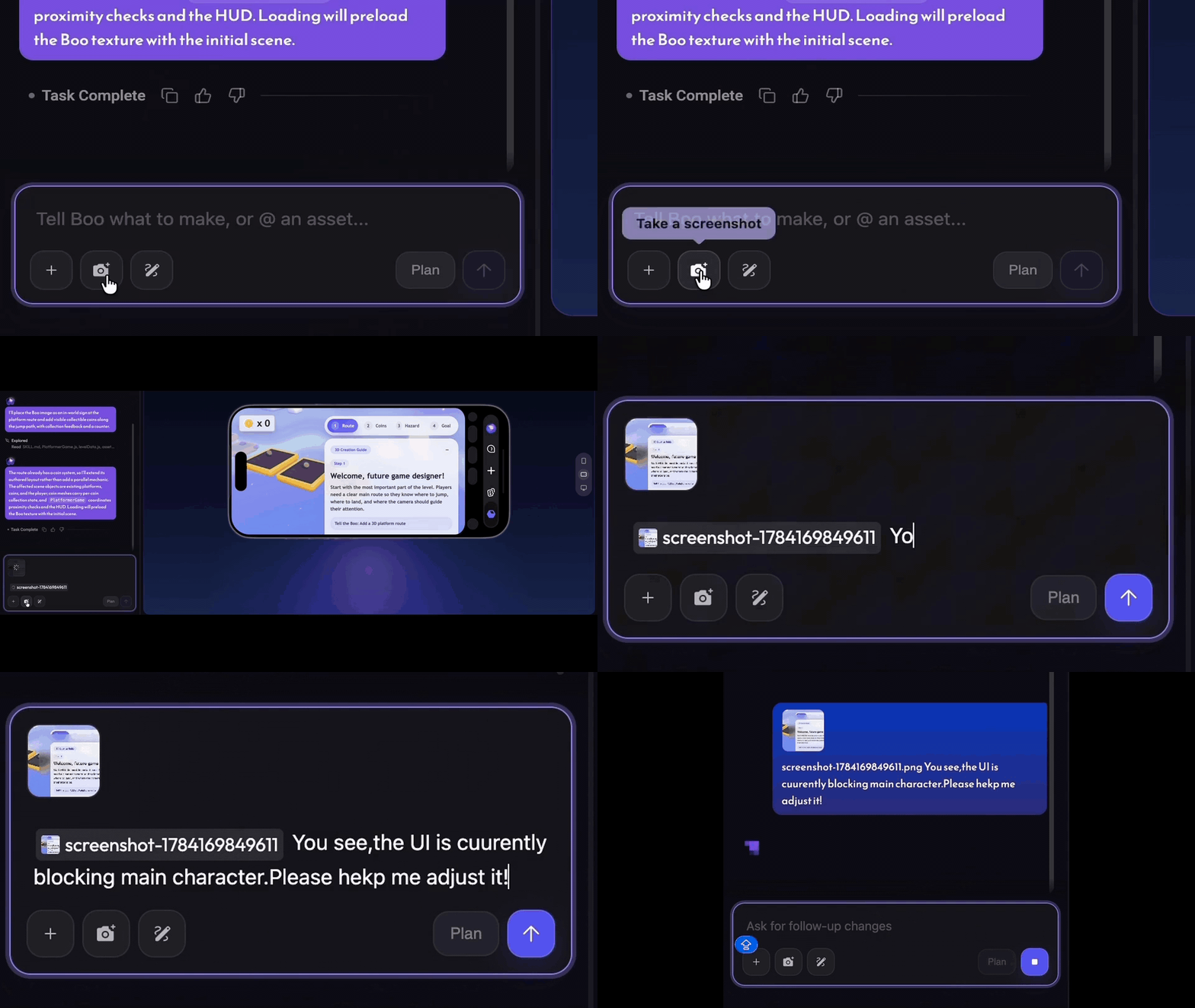
UI blocking a character, a scene that's just not quite right, or a shot that's missing something? Capture the current game screen and tell Boo exactly what to fix — no need to describe it in circles.
- 1Click the camera icon below the chat box (Take a screenshot).
- 2The screenshot is automatically attached to the chat box.
- 3Add your specific request, then click Send.
Drawing It Is Faster Than Explaining It
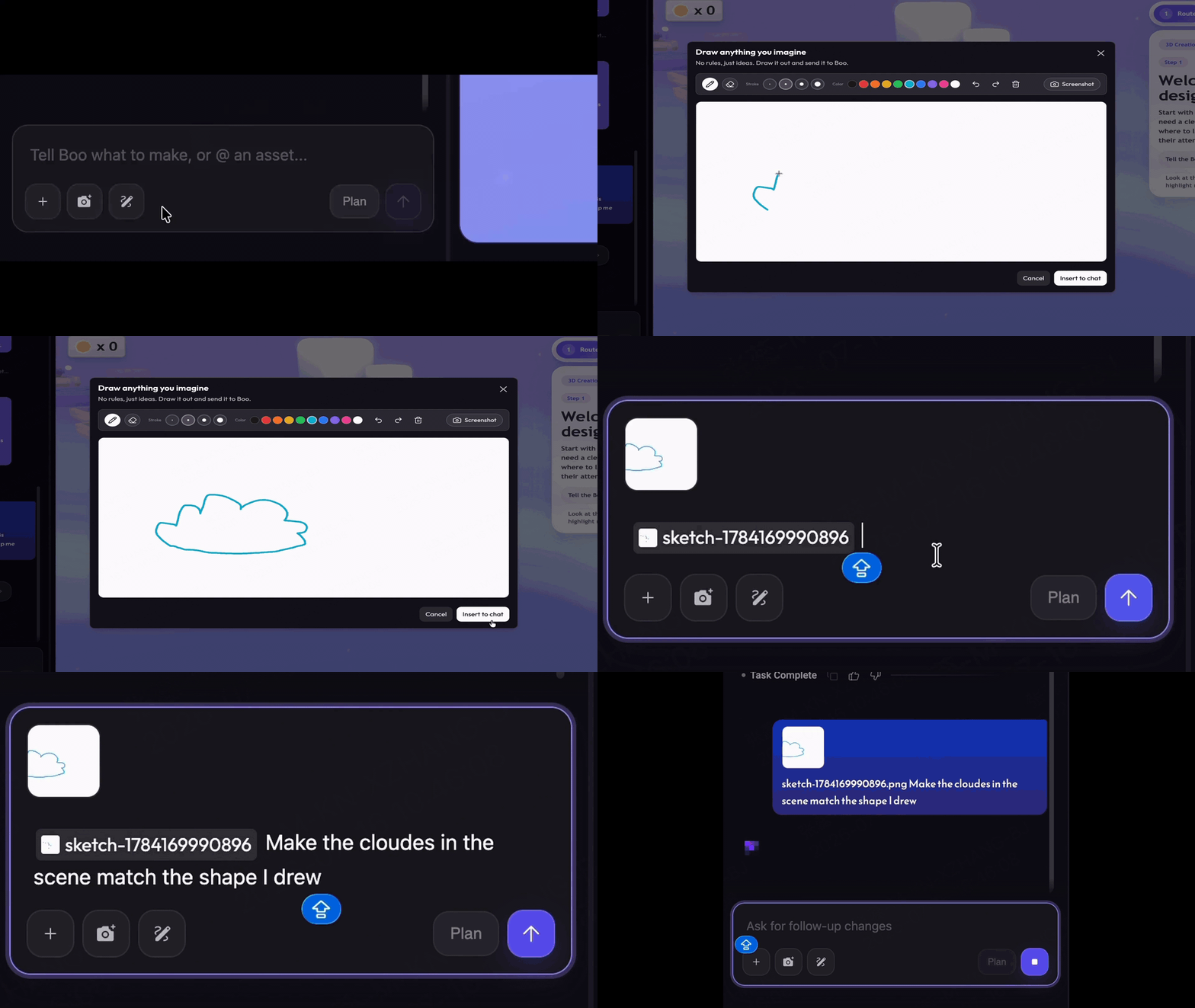
Can't quite put the shape, composition, or mood into words? Just sketch it out. Boo will use your drawing as a creative reference to turn that fuzzy idea in your head into something playable.
- 1Click the pen icon below the chat box (Draw image).
- 2Draw freely on the canvas, then click Insert to chat when you're done.
- 3Explain how you'd like the sketch to be used, then send.
Bring Your Assets, Get Straight to Work
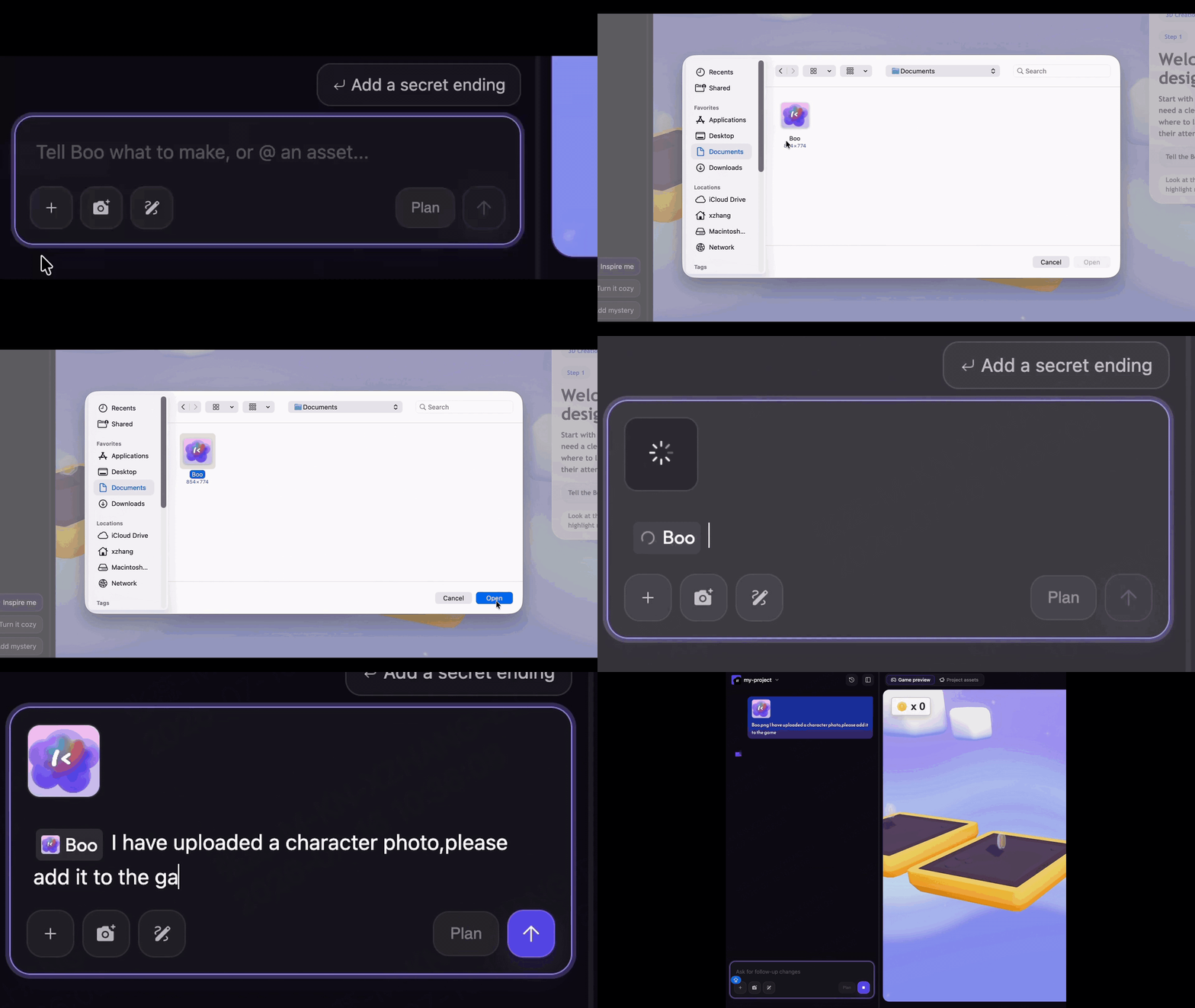
Already have character art, reference images, audio, or other assets? Upload them to the chat and let Boo build directly around them, for a game that feels more like your own style.
- 1Click the + below the chat box (Attach files).
- 2Select the files you want to use and wait for them to appear in the chat box.
- 3Describe where and how the asset should be used, then send your instructions.
Make It Easier for Boo to Help You
After uploading, taking a screenshot, or drawing, add a quick note about the result you want — it makes a big difference.
Make your next idea
a little more specific.
Open Combos and use the screenshot, canvas, or upload feature to move your game forward with Boo.
Go to Create ↗